
How to Use the Work From Home Focus System
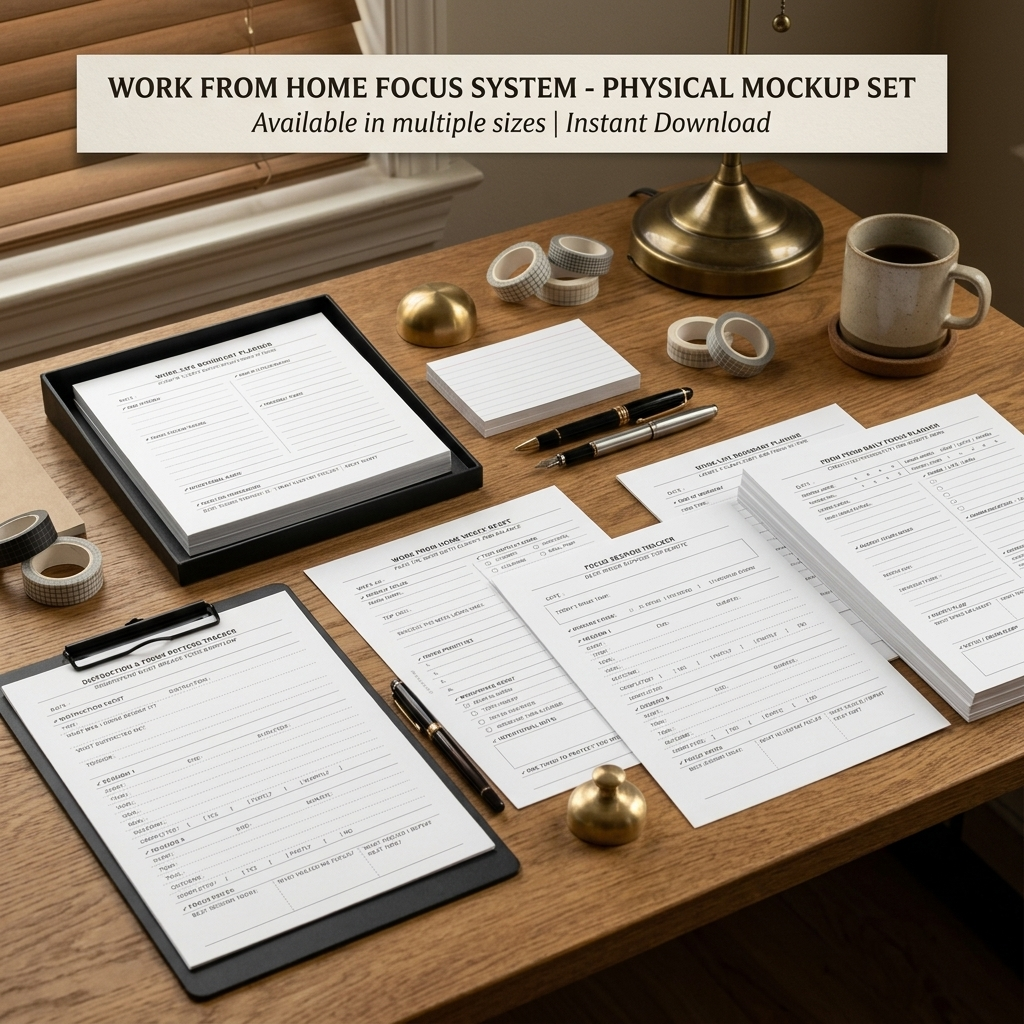
A flexible planning system for creating more structure, focus, and balance while working from home.
Working from home can offer flexibility, but it can also make it harder to separate work from everyday life. Tasks compete for attention, distractions are always nearby, and the line between “working” and “finished for the day” can easily become unclear.
The Work From Home Focus System is designed to bring those moving pieces into one simple planning system. Instead of focusing only on a to-do list, the pages help you plan your week, structure your day, protect focused work time, notice distraction patterns, and create clearer boundaries between work and home life.
You don’t need to use every page every day. Start with the tool that fits what you need, then combine the pages as you build a work-from-home routine that feels manageable and sustainable.
In this guide, we’ll walk through each planner, when to use it, and practical examples of how the pages can work together.
What’s Included
01 — Work From Home Weekly Reset
Plan your priorities, home responsibilities, schedule, workspace, and energy for the week ahead.
02 — Work From Home Daily Focus Planner
Create a realistic daily plan that considers both work and home responsibilities.
03 — Focus Session Tracker
Structure focused work sessions and notice what helps you stay engaged.
04 — Distraction & Focus Pattern Tracker
Identify what interrupts your workflow and recognize recurring distraction patterns.
05 — Work-Life Boundary Planner
Create clearer start and finish points between work time and personal time.
01 — Work From Home Weekly Reset
Plan the week before the week starts pulling you in every direction.
The Work From Home Weekly Reset helps you see your work responsibilities and home responsibilities together before the week begins.
Instead of planning work in isolation, this page gives you space to identify your main focus, choose realistic work priorities, prepare your workspace, anticipate important commitments, and notice when your energy may be higher or lower.
Use it at the beginning of the week—or whenever your week starts to feel scattered and you need to reorganize your priorities.
How to Use It:
- Choose one main theme for the week.
- Identify your top goal and decide what a successful week would realistically look like.
- Choose a small number of important work priorities.
- Reset your workspace so you’re ready to begin.
- Add home responsibilities that also need your attention.
- Note important meetings, deadlines, deep-work blocks, and personal errands.
- Check when your energy is likely to be strongest or lower.
- Finish by choosing one thing you want to protect during the week.
Example:
Instead of beginning the week with a long list of everything that needs to happen, you might decide:
Main Theme → Get my shop organized and consistent
Top Goal → Launch the Work From Home Planner Bundle
Deep Work → Tuesday & Wednesday mornings
Lower Energy → After 2 PM
Support → Short breaks between tasks
Protect → Morning deep-work time, 10 AM–12 PM
This creates a clearer framework for the week while still leaving room to adjust as things change.
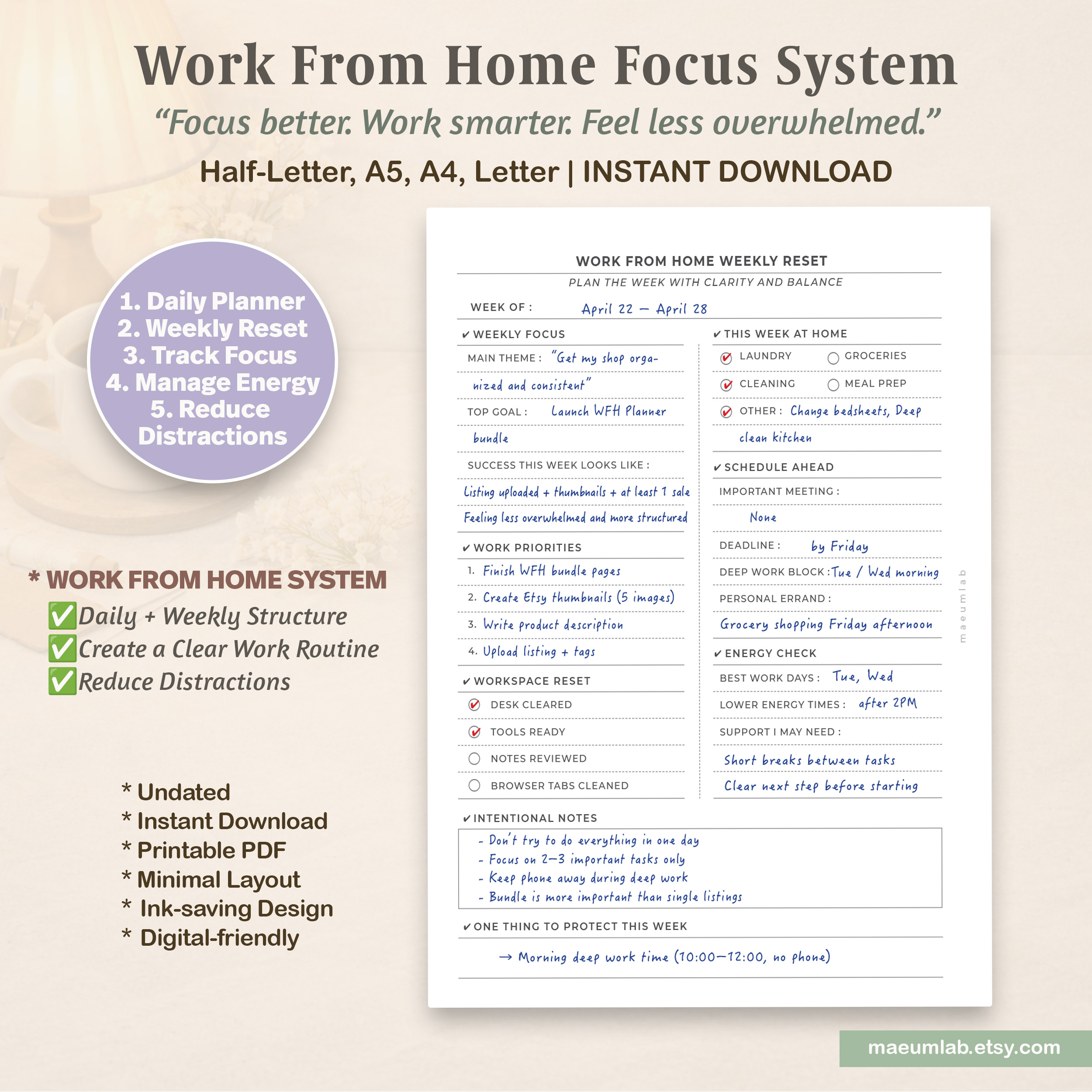
Example shown: Planning work priorities, home responsibilities, energy needs, and protected focus time for the week ahead.
02 — Work From Home Daily Focus Planner
Create a focused workday without forgetting the rest of your life.
Working from home often means work tasks and home responsibilities are happening in the same space. The Daily Focus Planner helps you see both without turning everything into one overwhelming to-do list.
Start by checking your focus and energy levels, then choose a work mode that fits your capacity for the day. From there, organize your most important work, create focused work blocks, keep home and life tasks visible, and set aside communication that can wait until the right time.
At the end of the day, use the Daily Reset to notice what helped, what distracted you, and one small adjustment you can make tomorrow.
How to Use It:
- Check your Focus Level, Energy Level, Work Mode, and Home Mood before planning.
- Choose up to three important Work Priorities.
- Break focused work into separate Focus Work Blocks instead of trying to work continuously.
- Keep small Home / Life Tasks visible without letting them take over your workday.
- Collect calls, emails, and messages under Communication so they don’t interrupt every focus session.
- Track your energy before work, midday, and after work.
- Complete the Daily Reset by noting what worked, what pulled you away, and what you want to change tomorrow.
- Use Notes / Brain Dump for thoughts you don’t need to act on immediately.
Example
On a lower-energy day, your plan might look like:
Focus Level → 3/5
Energy Level → 2/5
Work Mode → Deep
Work Priorities → Create thumbnails, finish product description, upload listing
Home Task → Quick laundry
What Pulled Me Away → Phone scrolling before Session 2
Improve Tomorrow → Put phone in another room during work blocks
The goal isn’t to squeeze more into the day. It’s to make your available focus and energy easier to use intentionally.
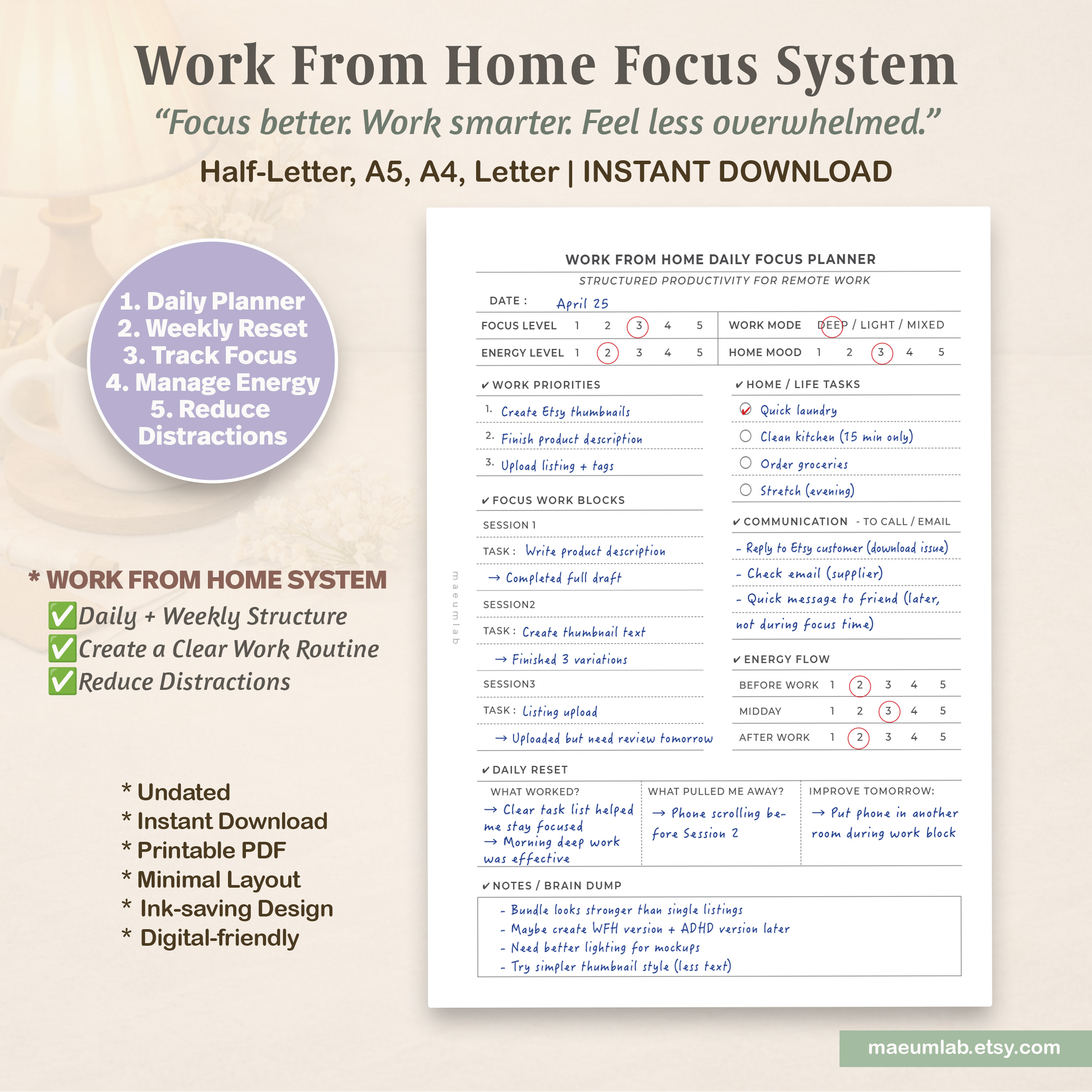
Example shown: Balancing focused work, home responsibilities, communication, and changing energy levels throughout a work-from-home day.
03 — Focus Session Tracker
Turn a workday into focused sessions you can actually see and review.
The Focus Session Tracker helps you move from “I need to work on this” to a clear, defined focus session.
Instead of measuring productivity only by how many hours you worked, this page lets you track what you planned to do, how long you worked, what you actually completed, and what helped you stay focused.
Over time, your Focus Notes can also reveal useful patterns—such as which time of day works best, what conditions support concentration, and what you may want to repeat during your next session.
How to Use It:
- Start with Today’s Main Task so your sessions have one overall direction.
- Record the start time, end time, and duration of each focus session.
- Give each session one specific Task.
- Define a realistic Goal before you begin.
- After the session, record the actual Outcome rather than judging the session only as successful or unsuccessful.
- Mark the task as Yes, Partly, or No under Completed.
- At the end of the day, review your Focus Notes to identify what worked.
- Use What Should I Repeat Next Time? to turn what you learned into a strategy for your next work session.
Example
A focus session might look like:
Main Task → Upload WFH Planner Bundle Listing
Session → 10:00–10:45
Task → Write product description
Goal → Complete the full draft—not perfect, just done
Outcome → Finished full draft; editing can come later
Completed → Yes
At the end of the day, you might notice that your morning session was your strongest and that keeping your phone in another room made it easier to stay focused.
That information can help you plan tomorrow based on what actually worked—not what you think should work.
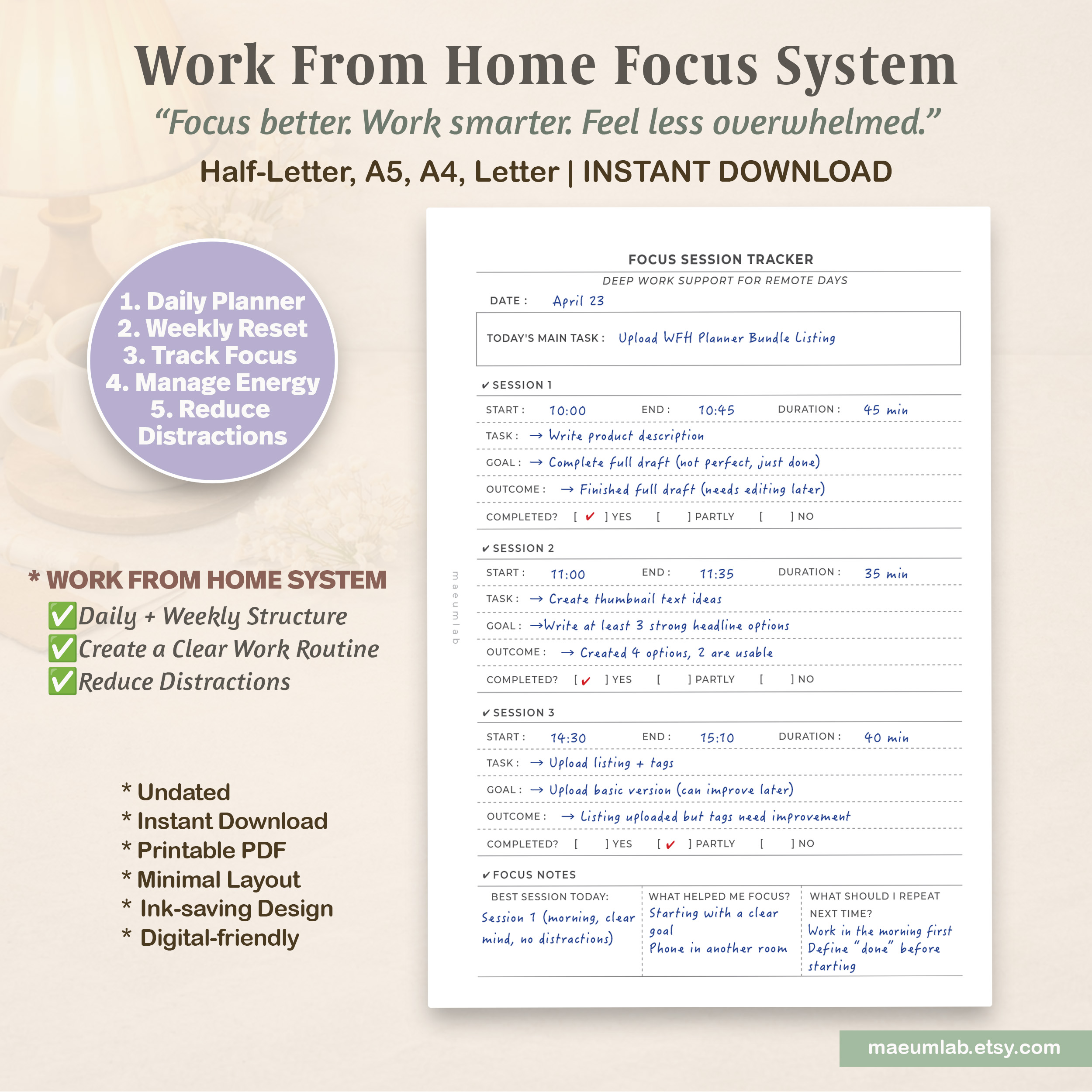
Example shown: Breaking a larger work goal into focused sessions while tracking time, outcomes, and the conditions that supported concentration.
04 — Distraction & Focus Pattern Tracker
Understand what breaks your focus—and what helps you come back.
Distractions are not always random. Sometimes they appear when a task feels unclear, energy drops, the environment becomes uncomfortable, or your brain simply needs a break.
The Distraction & Focus Pattern Tracker helps you look beyond the distraction itself and notice what was happening around it.
Instead of simply recording that you lost focus, you can identify the trigger, note how you returned to the task, and look for patterns that may help you plan future work sessions more effectively.
How to Use It:
- Record the time the distraction happened and approximately how long it lasted.
- Write down what you were doing before your attention shifted.
- Identify what distracted you.
- Consider the possible trigger—low energy, an unclear task, noise, a home responsibility, boredom, or something else.
- Record the Recovery Step that helped you return.
- After several distraction events, look for a common trigger, time of day, or distraction type.
- Choose one realistic change you can make.
- Finish with One Small Rule for Tomorrow rather than trying to fix everything at once.
Example
You may notice:
Before → Writing a product description
Distraction → Instagram scrolling
Trigger → The task felt boring or unclear
Recovery → Put the phone away and restarted with a smaller task
Later in the day:
Before → Uploading a listing
Distraction → YouTube
Trigger → Low energy after lunch
Now the pattern becomes clearer: the phone may be the distraction, but low energy and unclear tasks may be the actual triggers.
A small strategy for tomorrow could simply be:
One Small Rule → No phone during work sessions.
The goal is not to eliminate every distraction. It’s to understand your patterns well enough to make focused work easier to return to.
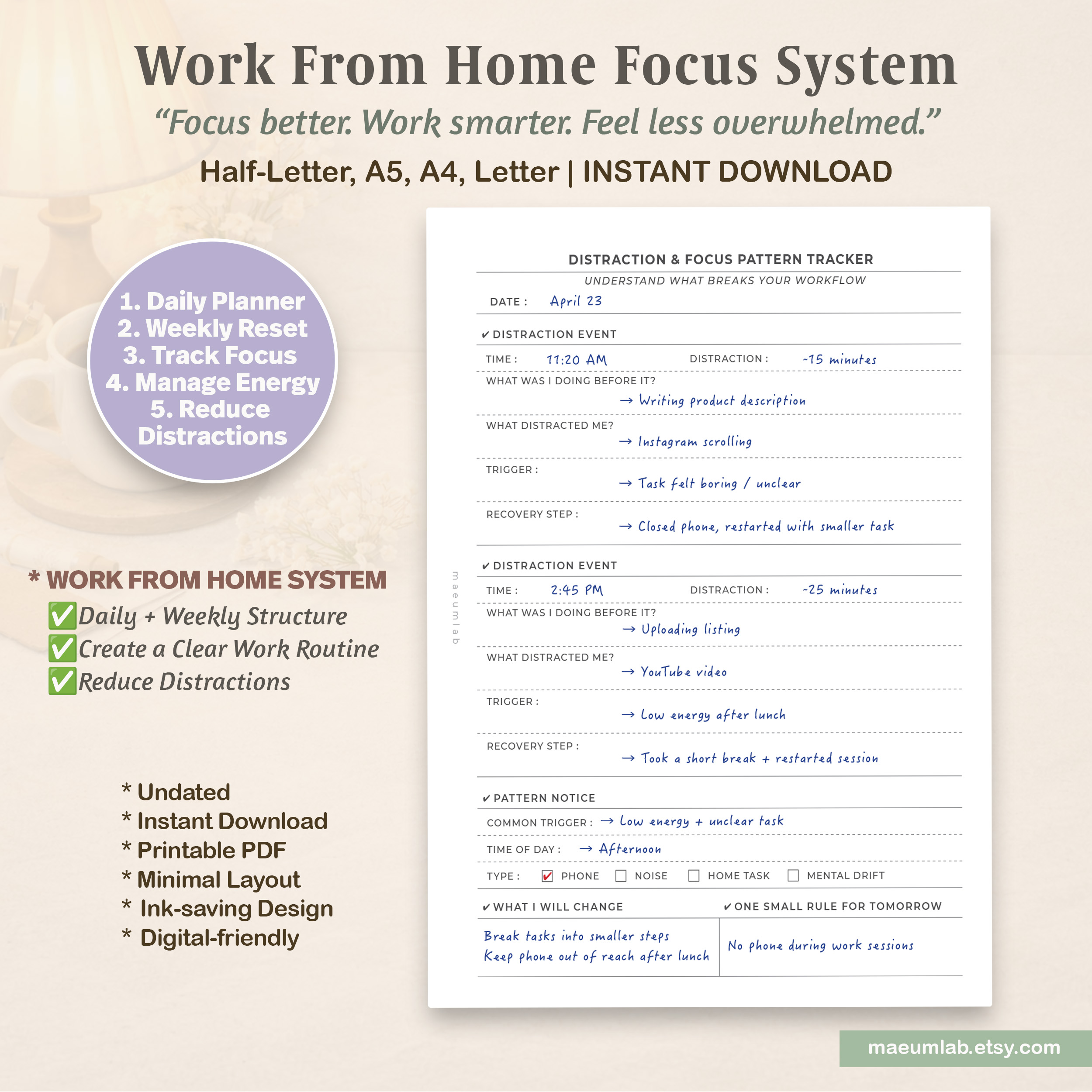
Example shown: Tracking distraction events, identifying possible triggers, and turning recurring patterns into one practical change for the next workday.
05 — Work-Life Boundary Planner
Create a clearer beginning and ending to your workday at home.
When your home is also your workplace, it can be surprisingly difficult to know when work has actually started—or when it is truly finished.
The Work-Life Boundary Planner helps you create intentional signals around both ends of your workday. By deciding when you’ll start, what you’ll begin with, when you’ll stop, and what you’ll do afterward, you can make the transition between work and personal time more visible.
It’s especially useful on days when “just one more thing” tends to stretch work far beyond the time you intended.
How to Use It:
- Choose a realistic Start Time and identify your First Task before beginning.
- Write a simple Work Intention to guide the day.
- Check what you need to have ready before work so starting requires less effort.
- Set an End Time and decide what your final task will be.
- Choose a consistent Shutdown Action—such as writing tomorrow’s first task, closing your laptop, or clearing your desk.
- Complete the Boundary Check to notice whether you actually started and stopped when intended.
- Identify anything that blurred the boundary between work and personal time.
- Create a simple Home Transition to help shift out of work mode.
- Use the Notes section to record what made starting or stopping easier.
Example
A boundary plan might look like:
Start Time → 10:00 AM
First Task → Write product description
Work Intention → Focus on 2–3 key tasks only and avoid multitasking
Then at the end of the day:
End Time → 5:30 PM
Final Task → Review Etsy listing
Shutdown Action → Write tomorrow’s first task, close laptop, and clear desk
Home Transition → Grocery shopping, light dinner, then a 10-minute walk without the phone
If you notice that you keep working after your planned finish time, record what happened rather than simply moving the end time later.
That pattern can help you create a stronger and more consistent “work is finished” signal for future days.
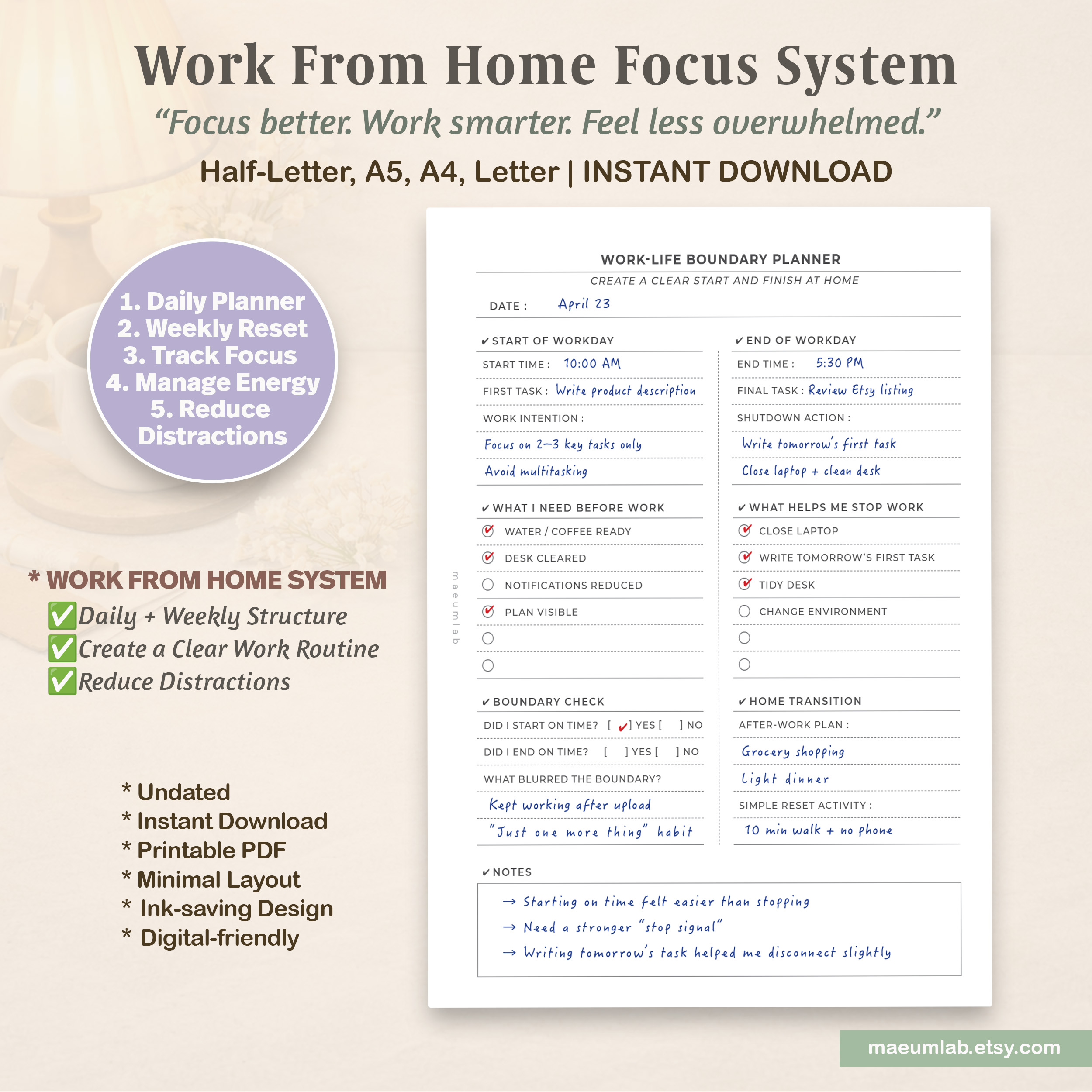
Example shown: Creating clear start and stop signals for a work-from-home day, followed by a simple transition into personal time.
Build a Work-From-Home System That Works for You
8 printable tools. One flexible systemThe Work From Home Focus System isn’t about creating a perfectly productive day. It’s about building enough structure to make working from home feel clearer and more manageable.
Use the Weekly Reset to see the bigger picture, the Daily Focus Planner to decide what matters today, and the Focus Session Tracker when you need more structure around focused work.
When concentration becomes difficult, the Distraction & Focus Pattern Tracker can help you understand what may be getting in the way. And at the end of the day, the Work-Life Boundary Planner helps create a clearer transition from work time back into home life.
You can use all five tools together or simply choose the page that supports what you need that day.
Start small. Notice what works. Build your routine from there. for planning, focus, and everyday executive function support.
Ready to Try the Complete System?
Explore the complete Work From Home Focus System with all five printable planning tools designed to support focus, structure, and more intentional work-from-home routines.
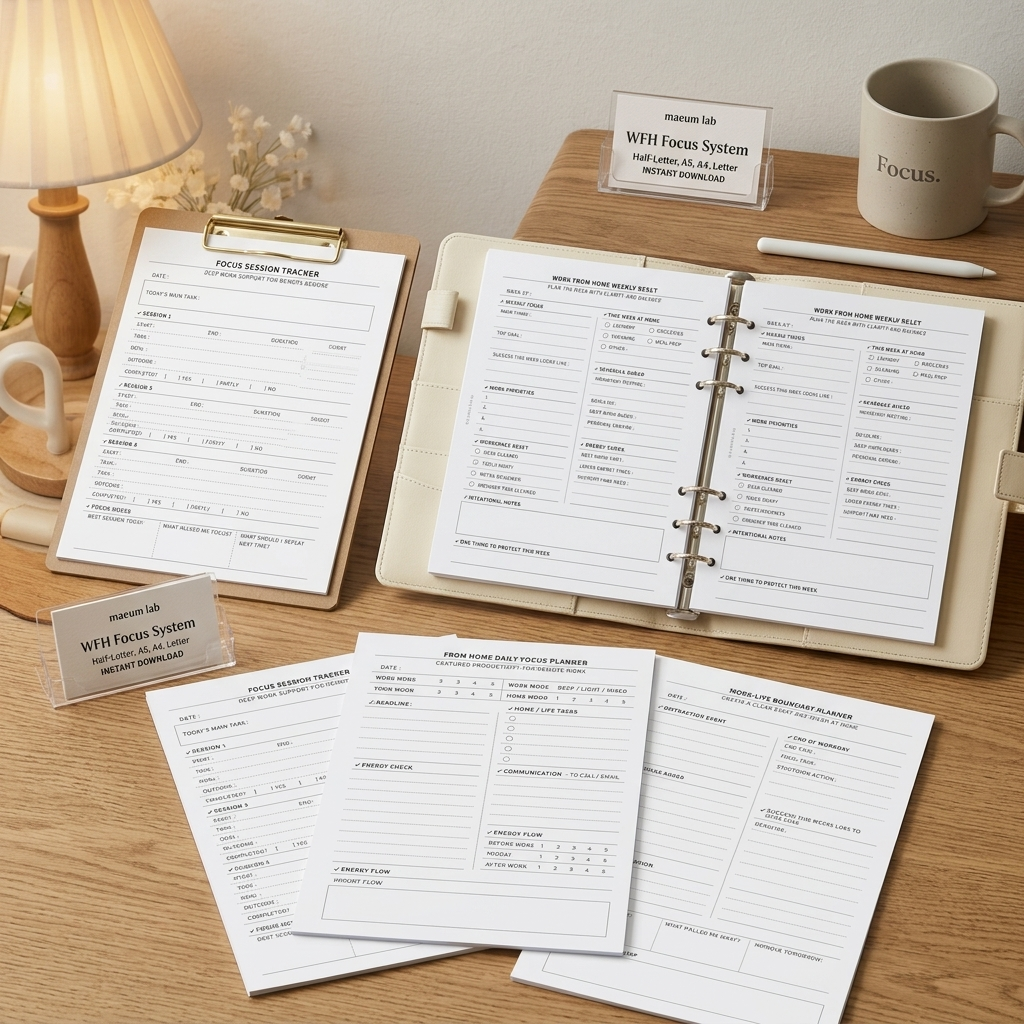
5 printable planning tools • Undated • Instant download